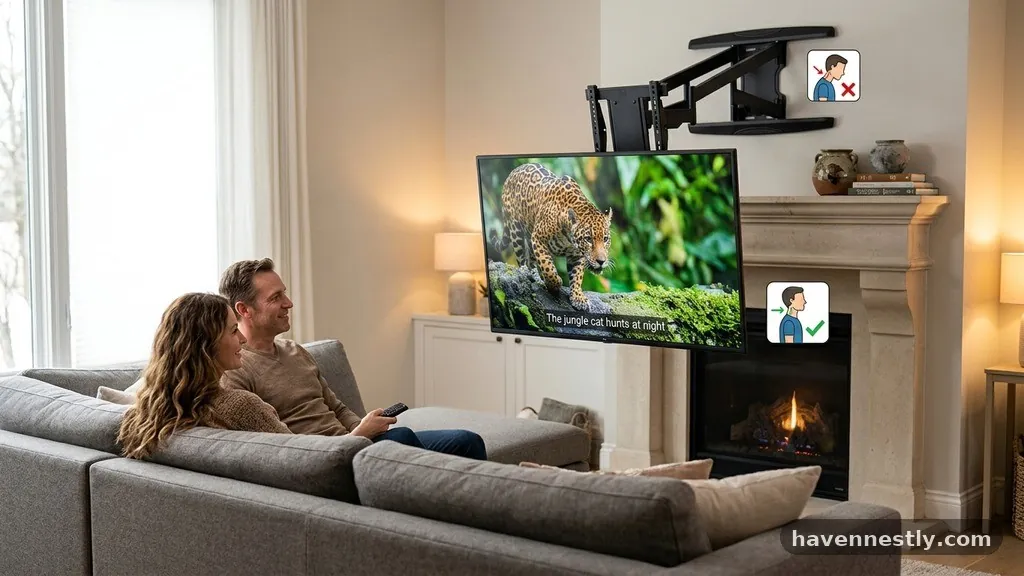
Drop-Down (Pull-Down) TV Mounts: Best Way to Stop Neck Strain Over Mantels
Using drop-down (pull-down) TV mounts is the most effective way to eliminate neck strain when your television is positioned high above a fireplace. By allowing you to bring the screen down to a comfortable, eye-level viewing height, these specialized brackets solve the ergonomic dilemma common in modern living room design.
If you frequently experience discomfort while watching movies or sports, this solution bridges the gap between aesthetic fireplace decor and healthy, long-term viewing habits. Understanding how these mechanisms function and selecting the right hardware will transform your home entertainment experience without requiring a complete remodel of your primary living space.
The Ergonomics of Viewing Height

The primary reason for neck strain during television viewing is an unnatural upward tilt of the head and cervical spine. When a screen is mounted significantly above eye level, the neck muscles must contract to maintain that position for extended periods.
This constant tension often leads to headaches, muscle fatigue, and long-term strain on the spinal discs. By utilizing a pull-down mount, you effectively lower the screen to a neutral position where your gaze is parallel to the floor.
Achieving a neutral viewing angle is the gold standard for ergonomics, as it allows your neck muscles to remain relaxed. When the screen sits at eye level, your head is properly supported by the spine rather than held up by muscular effort.
This simple shift in vertical positioning is the most significant change you can make to improve your daily comfort. Many users find that they can watch for hours without the fatigue that previously set in after just thirty minutes.
How Pull-Down Mounts Function
These mounts utilize a specialized gas-spring or counterbalanced system to handle the weight of modern flat-panel televisions. The mechanism is designed to pull the screen away from the wall and down into a position that covers the fireplace opening.
Most systems include a handle or a soft-touch frame to ensure that moving the display is a smooth, controlled process. Because the arms are engineered to hold the weight of the TV at any point in the arc, you can stop the display exactly where it feels best.
Safety and precision are built into the design of these systems, ensuring the screen remains stable throughout the movement. The internal tension can usually be adjusted to match the exact weight of your specific television model, making the movement feel effortless.
Once you are done watching, a quick push returns the screen to its retracted position against the wall. This functionality creates a bridge between high-mounted decorative displays and functional, user-friendly home theater setups.
Assessing Your Fireplace Environment

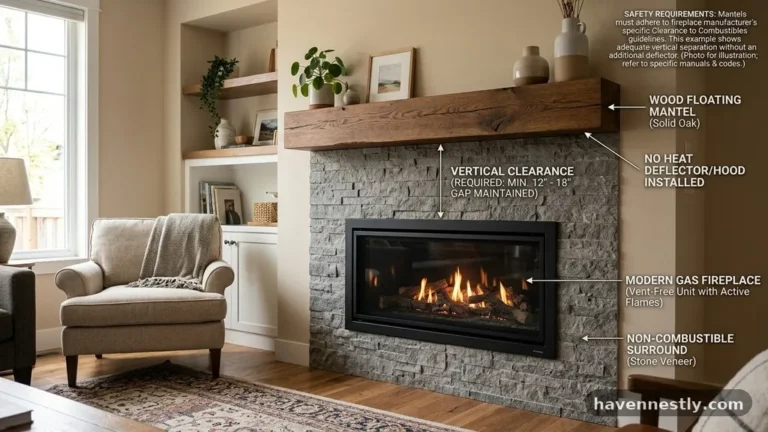
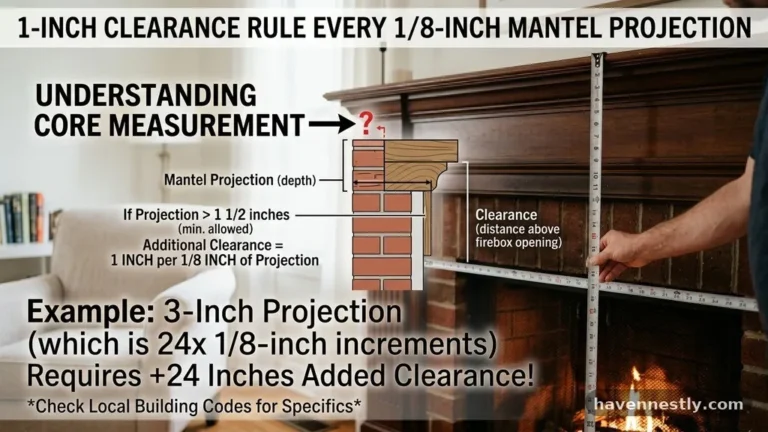
Before purchasing a mount, you must measure your space to ensure the hardware will fit your specific mantel and hearth configuration. You need to consider the depth of the mantel, as a protruding shelf can block the downward travel of the screen.
Measure from the mounting point on the wall down to the top of the fireplace or mantel to determine if the mount offers enough vertical clearance. If your mantel is particularly deep, look for a model with an extended reach that pulls the screen out further from the wall before descending.
Wall construction also plays a critical role in the stability of your setup. You must mount these brackets into solid wall studs or a secure masonry surface to support the significant leverage created by the extended arm.
If you have brick or stone fireplaces, ensure you use the appropriate concrete anchors and verify the integrity of the masonry. A professional National Fire Protection Association guide on home safety can provide context for ensuring that any modifications near a hearth meet fire safety standards.
Key Features to Look For
When evaluating different models, focus on the range of motion and the weight capacity of the unit. A high-quality mount should offer both vertical travel and horizontal swivel, providing full-range motion to accommodate different seating arrangements.
Look for features like cable management channels, which keep cords tidy as the TV moves between its high and low positions. Some advanced versions even include heat sensors that trigger an alarm if the temperature near the screen reaches unsafe levels.
Weight capacity is not just about the maximum load, but also about the stability of the arm at full extension. Check the VESA compatibility to ensure the mounting plate aligns perfectly with the holes on the back of your television.
It is always safer to choose a mount with a weight rating that exceeds your TV’s actual weight by at least 20 percent. This buffer accounts for the added stress placed on the arm during the movement process.
Comparison of Mounting Solutions
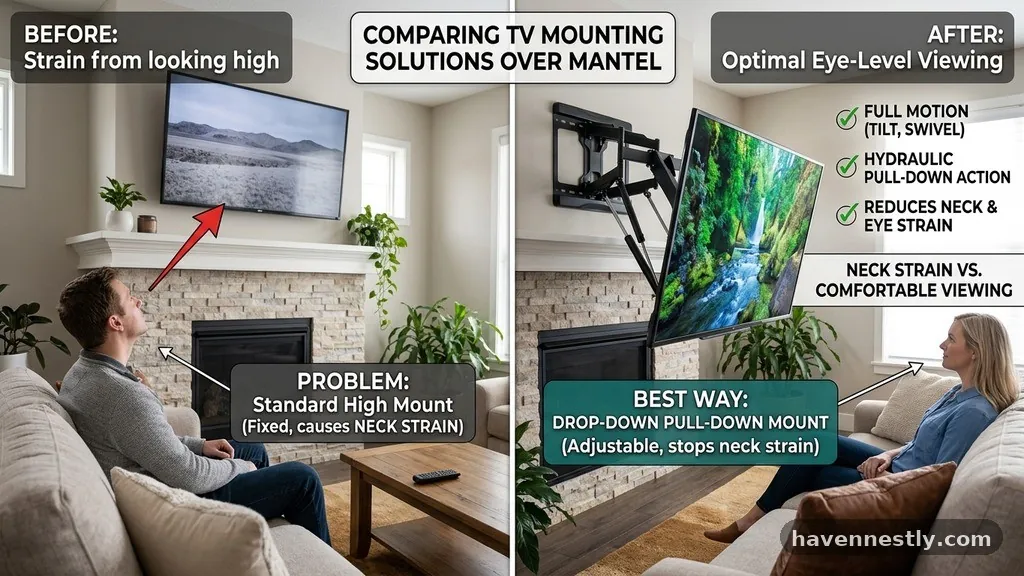
Selecting the right hardware depends on your budget, the weight of your screen, and your desire for automation. While basic fixed mounts are inexpensive, they do nothing to address the issue of neck strain. Below is a comparison of the primary options available for mounting televisions above a fireplace.
| Mount Type | Ergonomic Benefit | Ease of Use | Price Range |
|---|---|---|---|
| Fixed Wall Mount | None | Low | Budget |
| Tilt Mount | Minimal | Low | Budget |
| Manual Pull-Down | High | Moderate | Mid-Range |
| Motorized Drop-Down | High | High | Premium |
Installation Considerations
Installing a pull-down mount is a more involved process than mounting a standard bracket. You are dealing with complex moving parts that require precise leveling to function correctly.
If the mount is not perfectly level, the screen may drift to one side or struggle to lock into place at the top. Always use a high-quality level during the marking phase to ensure the mounting plate is perfectly horizontal.
Because these mounts are heavy, you will likely need a second person to help lift the television onto the bracket. The process of attaching the arms to the TV and then hanging the entire assembly on the wall plate requires careful coordination.
Take your time to read the specific instructions for your model, as the tension adjustment steps vary significantly between manufacturers. Proper installation is the foundation for a safe and functional system that will last for years.
The Role of Motorized Options
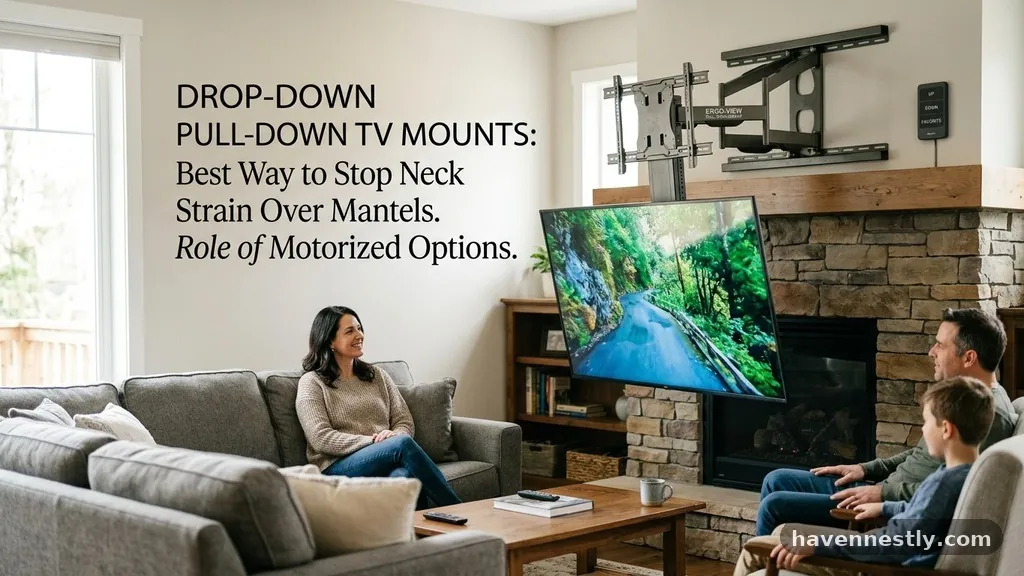
For those who want the ultimate convenience, motorized drop-down mounts allow you to lower the screen with the touch of a button. These systems are ideal if you have a very heavy television or if you find manual operation to be physically challenging.
The motor provides a consistent, smooth descent that eliminates the risk of dropping or bumping the screen against the mantel. Many motorized units can be integrated into broader smart home systems, allowing you to lower the TV automatically when you turn on your media player.
While these systems represent a larger investment, the convenience of a remote-controlled setup is unmatched. You can program the limit settings so the screen stops at the exact same height every time.
This consistency is excellent for maintaining a perfect, repeatable viewing experience. Just be aware that motorized mounts require a power source, so you will need to plan for electrical outlet placement behind the television.
Managing Cables and Connectivity
One of the biggest challenges with moving mounts is ensuring that your cables are long enough and properly managed. When the TV moves down, it creates slack in the HDMI, power, and audio cables.
If these cables are not managed correctly, they can snag on the mount or become damaged during the movement. Use the provided cable clips or a flexible cable management sleeve to bundle the wires together.
You should also ensure that your cables are rated for the movement they will undergo. Standard stiff cables can eventually fail if they are bent repeatedly at the same point.
Invest in high-quality, flexible HDMI cables that are designed to handle the dynamic nature of a pull-down system. This small detail prevents the frustration of losing your picture signal just because a cable was pinched or over-stretched.
Common Mistakes to Avoid
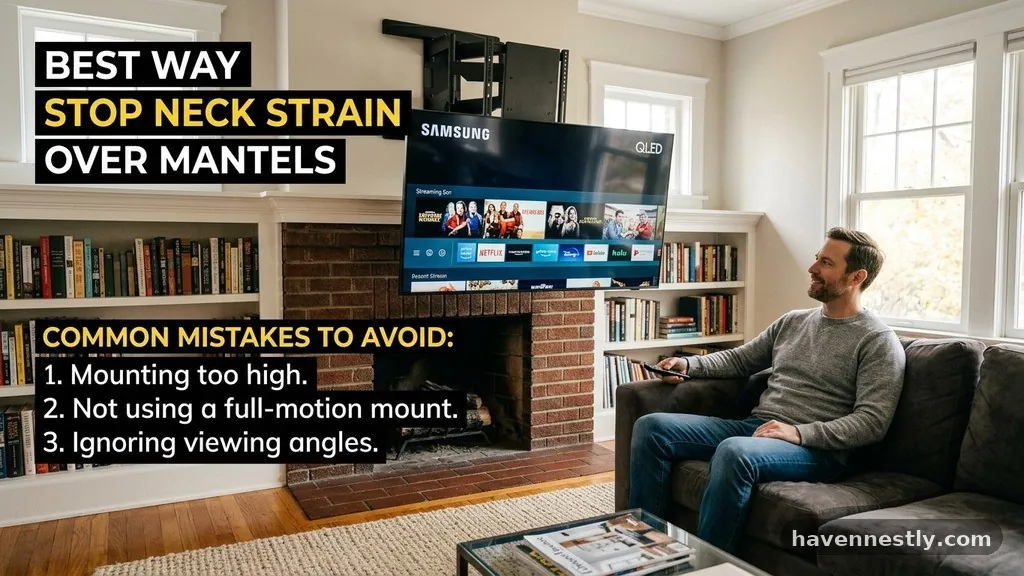
Many homeowners rush the planning phase and end up with a mount that doesn’t clear their mantel. Always check the “minimum clearance” specifications provided by the manufacturer, as this dictates how far the TV will protrude from the wall when in the up position.
Another common error is failing to account for the weight of soundbars or other accessories attached to the TV. If you plan to mount a soundbar to the bottom of your television, ensure the total weight remains within the mount’s capacity.
Avoid installing these mounts on walls with hidden utilities like plumbing or high-voltage electrical lines. Use a stud finder that can detect live wires to ensure you are drilling into a safe area.
If you are unsure about the location of studs or hidden hazards, hiring a professional installer is a wise choice. Spending a little extra on professional installation is often cheaper than repairing drywall or fixing damaged internal wiring.
FAQ: Addressing Your Concerns
Do pull-down mounts damage the wall over time?
When installed correctly into solid studs or masonry, these mounts are perfectly safe for your wall. The primary risk is the weight of the television pulling on the bolts, so using high-quality hardware is essential. If the mount is properly secured, the wall structure will handle the force without issue.
Can I use a pull-down mount on a brick fireplace?
Yes, you can, provided you use the correct masonry anchors and a hammer drill. It is vital to ensure the brick or mortar is in good condition before attempting to mount any heavy equipment. If the brick is old or crumbling, you may need to install a wooden mounting board across the studs to distribute the weight.
How do I know if my TV is compatible with a pull-down mount?
Check the VESA pattern on the back of your television, which is the standard arrangement of mounting holes. As long as your TV’s VESA pattern matches the mount’s specifications and the total weight is within the limit, it will work. Most modern screens follow these universal standards, making compatibility straightforward.
Are these mounts difficult to operate?
Most manual pull-down mounts are designed to be user-friendly, using counterbalanced springs that make the TV feel weightless. A gentle pull is usually all that is required to move the screen. If you find it difficult to move, it usually means the tension setting on the mount needs to be adjusted to match your TV’s weight.
Will a pull-down mount hide the fireplace completely?
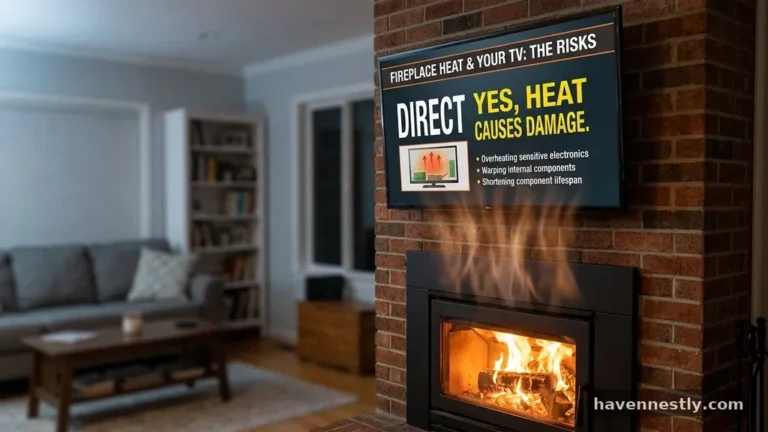
The mount is designed to pull the screen out and down, which naturally covers the area in front of the fireplace. However, you should never operate the fireplace while the TV is in the lowered position. The heat can damage the internal components of the screen, so keep the TV in its raised position whenever a fire is burning.
Choosing the Best Path Forward
Finding the right hardware for your living room involves balancing aesthetic preferences with physical health. Investing in quality drop-down (pull-down) TV mounts will fundamentally change how you interact with your media space, removing the daily burden of looking up at an uncomfortable angle. While the installation process requires careful attention to detail and structural integrity, the long-term benefits to your neck and spine are significant.
By taking the time to measure your fireplace, select a mount with appropriate weight capacity, and manage your cabling correctly, you can create a setup that is both beautiful and ergonomically sound. If you are ready to stop the strain and enjoy your favorite shows in comfort, start by reviewing the specific weight and clearance requirements of your current television.
Reach out to a professional if you feel uncertain about your wall’s load-bearing capabilities. Your home is a place for relaxation, and this simple upgrade ensures it stays that way.